
 Let the words
stay with the story.
Give your videos a voice.
Shape the timing, choose a style and burn captions into your video.
Offline transcription. On your terms.
Turn recordings into transcripts, subtitles and conversations you can use. All on your Windows PC.
Your next podcast, interview or video already has something to say. Give those words somewhere to go.
Import audio or video. The bundled speech engine works locally.
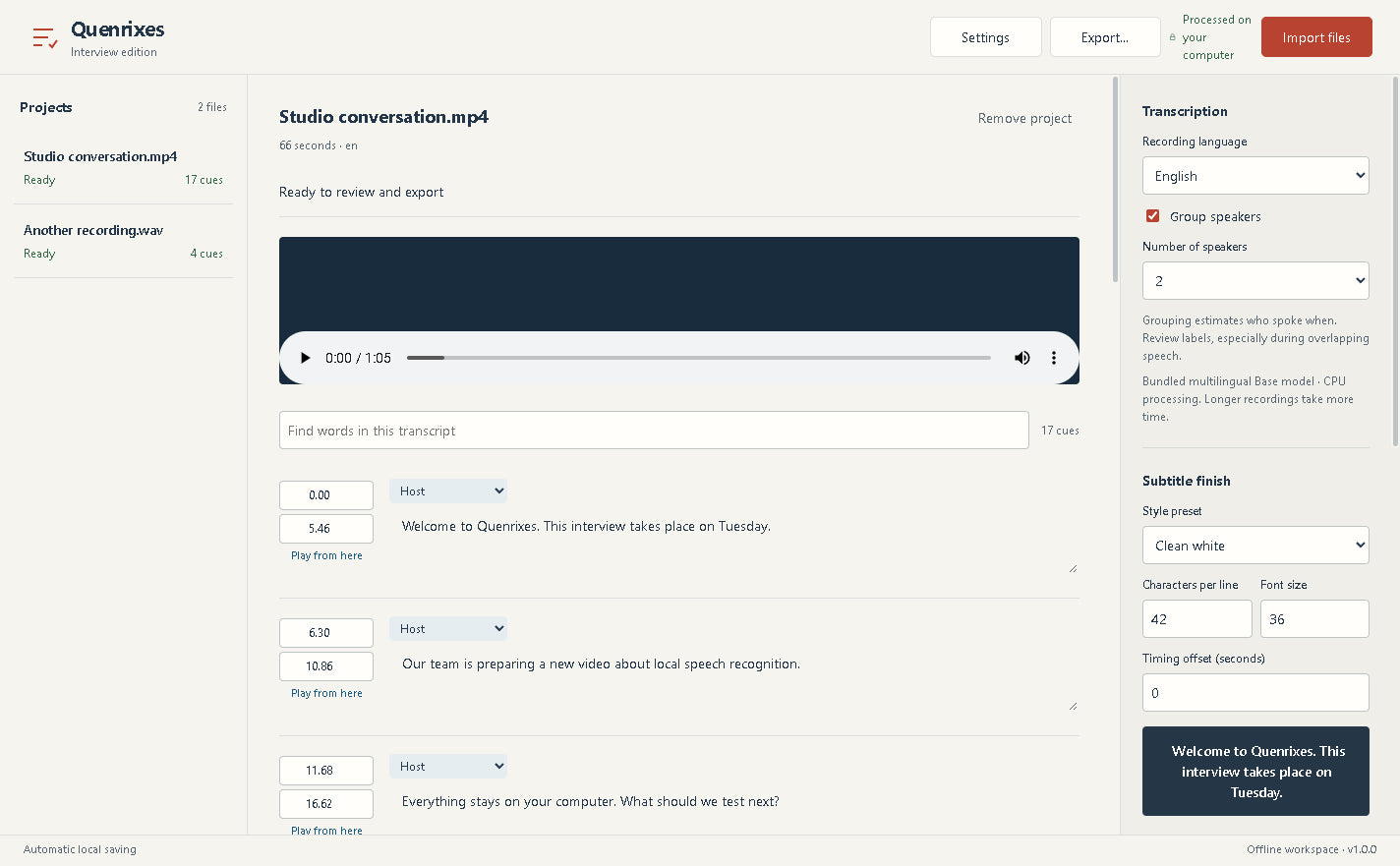
Check the words against your audio, then adjust text and timing.
Export readable text, subtitles or a finished captioned video.
Outputs depend on your edition. Machine-generated text needs a human review.
Synthetic speech sample. Listen, then click a line to revisit it.
Sample SRTA voice note, a video series, a long conversation. Choose the tools that fit what you make.
Let the wordsShape the timing, choose a style and burn captions into your video.
Your recordings are processed on your computer. No uploads. No account. No API key.
“What should we check before publishing?”
GUEST“The words, the timing and who said what.”
Group voices locally, review the labels and export a readable conversation.
Text for your notes. Subtitle files for your editor. Documents for your research.
Your recordings, saved projects and finishing tools in one desktop app. Work locally, export files and keep going.
Four editions. One-time prices.
Start with transcription. Add a queue, caption tools or speaker grouping when your work calls for it.
Start with the words.
Occasional recordings & everyday notes
Clear the whole queue.
Podcast archives & regular recording
Finish with captions.
Video creators & content editors
Follow the conversation.
Interviewers & qualitative research
The desktop software processes recordings locally. The speech model is included in the download, so transcription does not require an account, an API key or an upload. This website’s audio demo is a separate, pre-transcribed sample.
No. Each edition has a one-time purchase price for the downloadable software version. There are no transcription credits, minute bundles or recurring processing fees. Prices shown are in USD; applicable taxes and the final total are shown in Shopify Checkout before you pay.
The software is for Windows x64 PCs. Windows 11 has been tested. Windows 10 22H2 is the compatibility target but has not been tested separately. A Mac or Linux build is not available. Models are bundled. Installer and portable files are approximately 350–400 MB each; the complete store ZIP is about 2.2 GB and includes both plus corresponding source material. Allow at least 6 GB of free space for download, extraction and installation. The current Windows packages are unsigned.
Accuracy depends on the recording, language, accents, background noise and overlapping voices. All four editions use the same multilingual Base speech model. Review words and timestamps before publishing. Interview speaker grouping estimates voice changes; it does not identify people by name.
Import common audio and video formats such as WAV, MP3 and MP4. Every edition exports TXT, SRT and VTT. Creator adds ASS and MP4 with burned-in subtitles. Interview also exports DOCX and speaker-labelled text.
Each edition includes the features of the one before it. Batch adds a queue and batch exports; Creator adds subtitle styling and video rendering; Interview adds speaker grouping and document exports. Recognition quality is the same across all four.